Best PSU for Gaming in India (2026): Current Models & Buying Guide

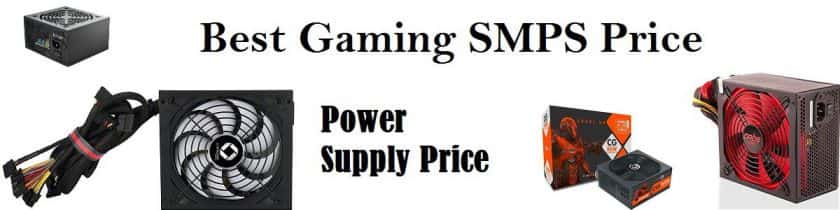
A power supply unit (PSU), often called an SMPS in India, is one of the most important parts of a desktop PC. It converts mains AC power into the regulated DC power used by the motherboard, processor, graphics card, storage drives and fans. A suitable PSU helps a system receive the power it needs; it does not make an unsuitable or under-sized power supply safe.
This guide explains how to choose a gaming PSU in India and compares five current models with retailer prices checked on 12 November 2026. The examples are a researched shortlist, not a laboratory performance ranking. Always confirm the exact model number, stock, warranty and final checkout price before buying.
What to check before buying a gaming PSU
1. Choose wattage for the complete PC
Do not select a PSU by looking only at the graphics card’s power figure. Check the graphics-card manufacturer’s recommended system power, then account for the processor, motherboard, memory, storage, fans, liquid-cooling pump and any planned upgrades or overclocking. A PSU calculator can help estimate the total, but the component manufacturers’ requirements should take priority.
The wattage printed on a PSU is its rated DC output capacity. It is not the amount of electricity the PC always draws from the wall. Actual wall consumption changes with system load and PSU efficiency. There is no single wattage that is right for every gaming PC.
2. Understand 80 PLUS efficiency ratings
80 PLUS is an efficiency certification programme. Its ratings describe how efficiently a PSU converts AC input into DC output at defined load levels. Bronze, Gold and higher ratings indicate progressively stricter efficiency requirements, but the label is not a complete score for build quality, voltage regulation, ripple, noise or long-term reliability. Compare independent technical reviews, protection features and warranty as well.
Read the CLEAResult 80 PLUS programme details for the certification’s scope and testing information.
3. Check ATX version and GPU power connectors
ATX 3.1 is a newer desktop power-supply specification. Some compatible PSUs include a native 12V-2×6 cable for graphics cards that use the 16-pin connector. Do not assume that every PSU labelled ATX 3.1 includes the same cable: check the exact model’s specification and the connector required by your graphics card. A good-quality PSU with the correct manufacturer-approved cable is more important than buying a higher wattage number without checking compatibility.


When installing a 12V-2×6 or other GPU power connector, follow the PSU and graphics-card manuals, seat the plug fully and avoid forcing or sharply bending the cable immediately beside the connector. Never reuse modular cables from another PSU unless the PSU manufacturer explicitly confirms that the cable is compatible; modular cable pinouts are not universal.
4. Check protection circuits and warranty
Look for clearly documented protections such as over-current protection (OCP), over-voltage protection (OVP), under-voltage protection (UVP), over-power protection (OPP), short-circuit protection (SCP) and over-temperature protection (OTP). Also check the manufacturer’s warranty, service process and the seller’s return policy. A long warranty is useful, but it should not replace checking independent electrical testing.
5. Choose the right size and cable design
Most tower gaming PCs use an ATX PSU, while compact systems may need an SFX or SFX-L unit. Check the case’s supported PSU form factor and maximum length before ordering. A non-modular PSU has its cables permanently attached; a fully modular PSU lets you connect only the cables you need. Modularity makes cable management easier, but by itself does not guarantee better electrical performance.
Current gaming PSU options in India
The following models were selected because their specifications could be checked against manufacturer documentation and Indian retailer listings. Prices are snapshots, not guaranteed offers; stock and prices can change by seller and location.
| Model | Key specifications | Retail listing checked |
|---|---|---|
| Cooler Master MWE Bronze 650 V3 230V | 650W; ATX 3.1; 80 PLUS Bronze; non-modular; 5-year warranty. Consider it only when 650W meets the requirements of your complete build. | Vedant Computers — ₹5,240; listing showed in stock. |
| Cooler Master MWE Bronze 750 V3 230V | 750W; ATX 3.1; 80 PLUS Bronze; non-modular; 5-year warranty. This provides more rated capacity than the 650W model, but still check the GPU and CPU requirements. | Vedant Computers — ₹6,650; listing showed in stock. |
| Cooler Master Elite Gold 750 | 750W; ATX 3.1 and PCIe Gen 5.1 support; 80 PLUS Gold; fully modular; 10-year warranty. | Prime ABGB PSU listing — ₹7,812 shown; confirm the exact listing and stock before ordering. |
| DeepCool PN850M | 850W; ATX 3.1; PCIe 5.1; native 12V-2×6 cable; 80 PLUS Gold; fully modular; 10-year limited warranty. | Computech Store — ₹8,499; listing showed in stock. |
| Corsair RM850e (CP-9020296-IN) | 850W; ATX 3.1; PCIe 5.1; native 12V-2×6 cable; Cybenetics Gold efficiency; fully modular; 7-year warranty. | Prime ABGB — ₹10,640; listing showed limited stock when checked. |
How to use this shortlist: Start with the wattage and connector requirements of your own CPU and graphics card. The 650W and 750W Bronze units are non-modular; the Gold models above offer fully modular cabling. The 850W options have native 12V-2×6 support documented by their manufacturers. These differences are more useful for choosing than treating the list as a universal first-to-last ranking.
Bronze or Gold: which should you choose?
A Gold-rated PSU is generally more efficient than a Bronze-rated PSU under the relevant certification test conditions. That can reduce wasted energy and heat at comparable loads, but it does not automatically make every Gold model electrically better than every Bronze model. Compare the exact unit’s independent test results, protections, connector layout, warranty and price. Do not buy a low-quality unit simply because its label says Gold.
Common PSU buying mistakes to avoid
- Buying too little wattage: check the complete system and the graphics-card manufacturer’s recommendation, not just the GPU’s typical power draw.
- Buying far more wattage than needed: extra capacity is not automatically faster or better; size the PSU for the build and realistic upgrades.
- Confusing efficiency with quality: 80 PLUS is an efficiency certification, not a substitute for electrical testing.
- Ignoring connectors: count the CPU EPS and GPU PCIe connectors required by your exact components.
- Mixing modular cables: use only the cables supplied with the PSU or confirmed compatible by its manufacturer.
- Ignoring case clearance: confirm the PSU’s form factor and length before purchase.
- Overlooking warranty and seller terms: check the invoice, manufacturer warranty eligibility, return window and local service arrangements.
Frequently asked questions
Is a 650W PSU enough for a gaming PC?
It can be enough for some systems, but not all. Check the graphics-card manufacturer’s recommended system power and account for the processor and other components. Do not choose 650W solely because a retailer describes a PSU as suitable for gaming.
Is 80 PLUS Gold always better than Bronze?
Gold indicates higher certified efficiency than Bronze under the programme’s test conditions. It does not, by itself, prove better components, lower electrical noise or longer life. Compare independent reviews and warranty details.
Do I need an ATX 3.1 PSU?
Not every PC requires one. It can be a useful choice for a new build using a graphics card that needs a compatible 12V-2×6 connection or for a build where ATX 3.1 support is part of the desired specification. Confirm the exact cable and connector rather than relying only on the standard name.
Does a fully modular PSU perform better?
Not simply because it is modular. Fully modular models make cable installation and removal easier. Electrical performance depends on the PSU’s design and testing, not the modular label alone.
Can I use cables from my old modular PSU?
Only if the PSU manufacturer explicitly confirms compatibility with both exact models. Similar-looking modular connectors can have different pinouts, so using an unapproved cable can damage components.
Final advice
A reliable gaming PSU should match the power needs of the complete PC, provide the right connectors, include documented protection circuits and come with a warranty you can use in your region. Compare the exact model number and current seller terms before ordering. A correctly sized, well-tested PSU is a better purchase than choosing by wattage or 80 PLUS badge alone.
Official references
- CLEAResult: 80 PLUS certification programme
- Cooler Master: MWE Bronze 750 V3 specifications
- Cooler Master: Elite Gold 750 specifications
- DeepCool: PN850M specifications
- Corsair: RM850e specifications
Price note: Retailer prices and stock shown in this guide were checked on 12 November 2026. They are subject to change and may vary at checkout.